Campaigns (stamp card design)
A campaign defines how your customers’ stamp cards look and behave. This page explains the settings on the Validity, Points and Stamp calculation tabs.
Validity
Section titled “Validity”Unlimited validity
Section titled “Unlimited validity”When this switch is on, the stamp card has no relative lifetime: it does not expire after a set period, and nothing is counted from creation or last usage.
A campaign end date still applies. To limit a promotion in time without giving each card its own lifetime, combine “Unlimited validity” with an end date.
Bonuscard expiration
Section titled “Bonuscard expiration”The lifetime of a card, as a number together with the unit next to it (days, weeks, months or years) – for example “6 months”.
The card stays valid until the end of its last day, not just until the clock time at which it was created or last used. The expiry mode decides when counting starts.
Expiry mode
Section titled “Expiry mode”Sets the starting point of the lifetime:
- From creation – the lifetime starts when the card is issued and does not change afterwards.
- From last usage – every usage (e.g. a stamp) restarts the lifetime. Active customers keep their card; inactive cards expire after the configured period without use.
In both cases a campaign end date applies on top.
Campaign end date
Section titled “Campaign end date”A fixed date on which every card of this campaign expires at the latest – at the end of that day. The field is optional.
If a lifetime is configured as well, the earlier of the two dates wins: using a card shortly before the campaign ends does not extend it past the end date.
Unlimited redeems
Section titled “Unlimited redeems”When this switch is on (the default), a full stamp card can be redeemed any number of times. After each redeem the card starts again at zero stamps and stays valid.
Turn it off if a card should only earn a limited number of rewards, then set the number under Redeem count.
Redeem count
Section titled “Redeem count”How many times a card can be redeemed. The last permitted redeem expires the card immediately; before that, each redeem resets it to zero stamps.
Example: with “1” the card is a one-off promotion – it expires after the first reward.
Points
Section titled “Points”Completion behaviour
Section titled “Completion behaviour”Decides what happens when a customer has collected all stamps:
- Redeem only (legacy) – the existing behaviour. Your staff redeems the full card in the scanner, and it is reset to zero.
- Points only – there is no manual redeem. Every full card automatically becomes one point on a lifetime points counter; surplus stamps carry over to the next round.
- Points and redeem – both: every full card counts as a redeem and increases the points counter.
In the modes with points, the points balance is also shown on the wallet pass.
Points label
Section titled “Points label”The text shown next to the points balance on the wallet pass, e.g. “Vitalpunkte”. If left empty, “Punkte” is shown.
The field only appears when the completion behaviour tracks points.
Stamp calculation
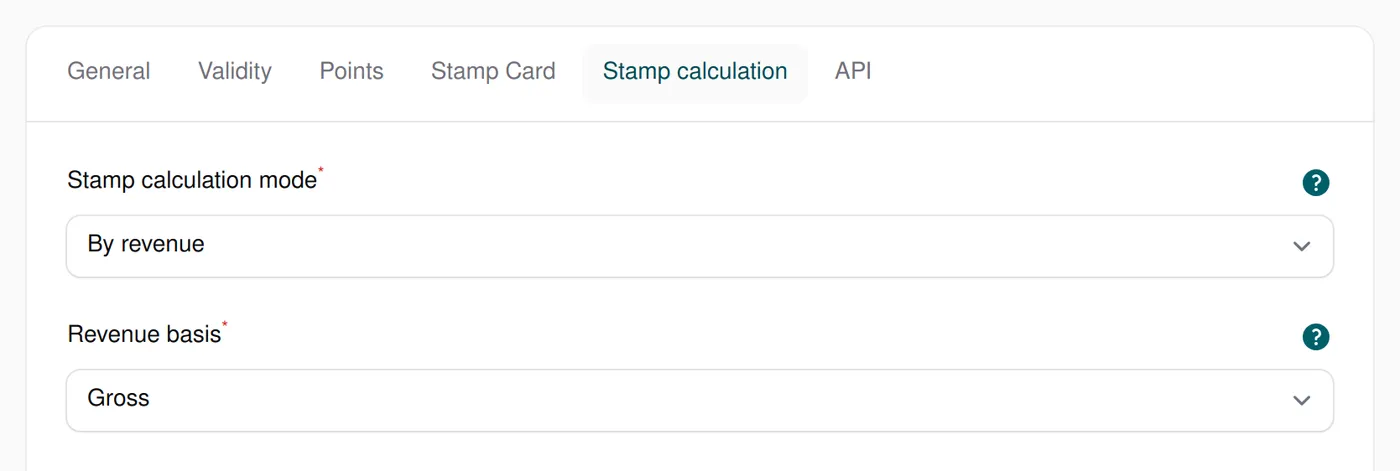
Section titled “Stamp calculation”This tab is only visible when the REST API is enabled for your account. It controls how many stamps an API call (e.g. from your POS system) awards.
Stamp calculation mode
Section titled “Stamp calculation mode”- By revenue – stamps are calculated from your stamp calculation rules based on the revenue sent. Individual products are ignored.
- By products – only the products sent count: every eligible product awards its configured number of stamps per unit. Revenue is ignored.
The two modes are mutually exclusive, so a single call cannot award stamps for both revenue and products.
Revenue basis
Section titled “Revenue basis”Decides whether the revenue rules use the gross or the net revenue sent by the API. If the POS does not send the selected value, it counts as 0.
The setting is only visible in By revenue mode.